Part search
Find parts without leaving the design: live stock, price, lifecycle status, parameters and alternates, from the distributor. Prices and stock are fetched live and never written to your project.
Beta: Part search has a DigiKey provider and a mock with five fixture parts. The DigiKey provider was written from DigiKey's public API description and tested against a local fake of it, but has not yet been run against the live API. Some fields may come back empty until it has.
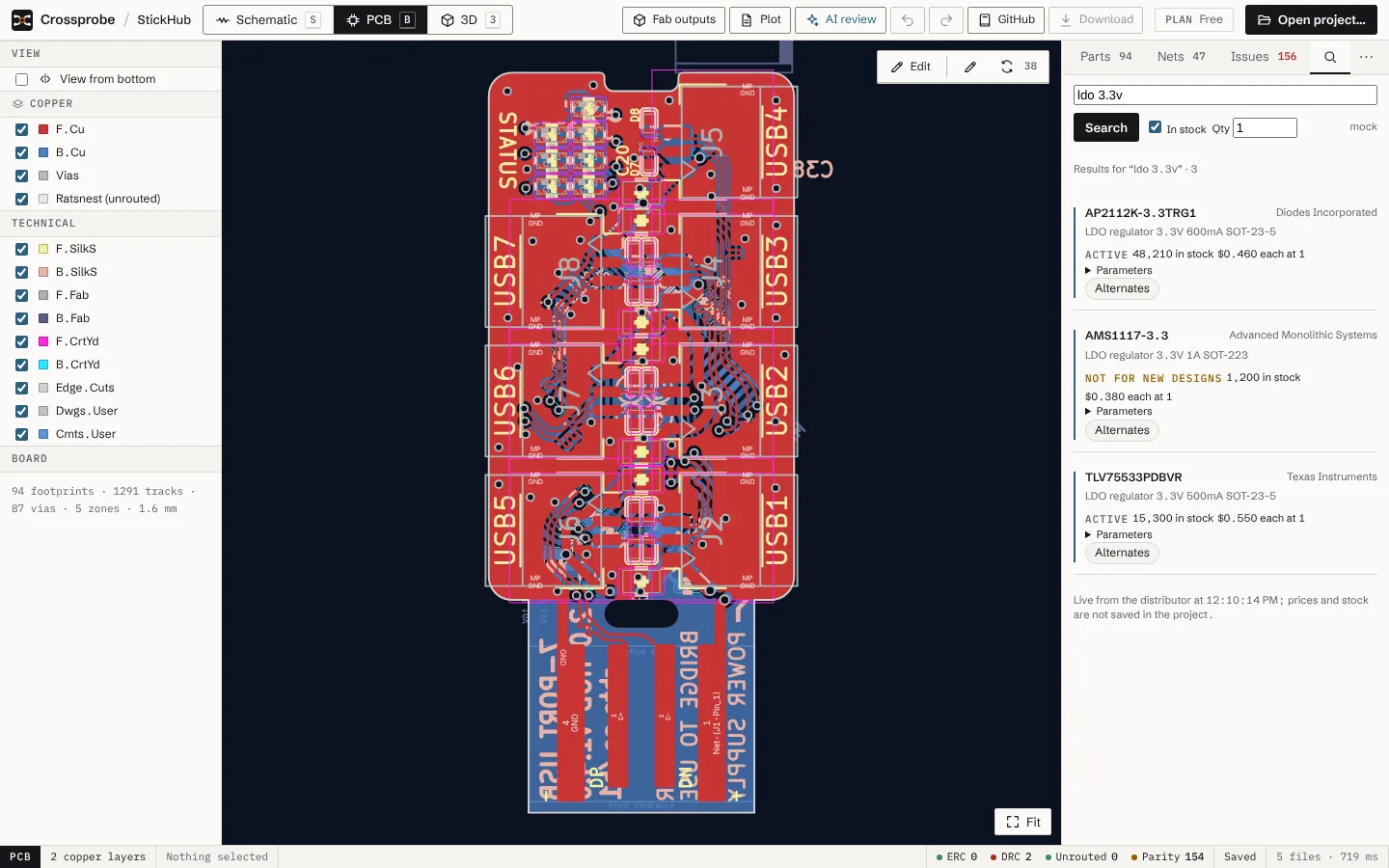
Search for a part
- Optionally, select a component first. Its value is suggested as the query.
- Open the search tab (magnifier icon, next to Parts, Nets and Issues; Find parts in the tab menu).
- Type a part number or what you need, for example
ldo 3.3v 500ma, and choose Search. - Leave In stock ticked to see only parts with stock, and set Qty to see the unit price at that quantity.
The provider in use is named next to the search button.
Read the results
Each result shows:
- the manufacturer part number, manufacturer and description;
- lifecycle status: Active, Not for new designs, Last time buy, Obsolete, or Status unknown;
- stock, or Out of stock;
- the price each at the quantity you set;
- Parameters, when the distributor gives them.
Obsolete and out-of-stock parts are shown as warnings. Below the results, Crossprobe notes when they were fetched.
From a result you can:
- Alternates: list alternates for that part;
- Datasheet and Product page: open the distributor's links;
- Use for U1 (named after the selected part): save the result's datasheet link into that part's
Datasheetfield. The Datasheet tab then opens it.
What is stored
Prices and stock are not written to the project: they go stale, and distributors limit caching. The only thing a search can change in your project is a part's Datasheet field, and only when you choose Use for.
Distributor credentials stay on the Crossprobe server. Your browser only talks to that server, not to the distributor.
Configuration
There is nothing to set up in the app. Search runs through whichever provider the server operator has configured, DigiKey credentials or the mock. When neither is set, the tab says part search isn't configured on this server, and the Search button stays disabled.
Status
- DigiKey: uses DigiKey's Product Information API v4. It has not yet been run against the live API, because no credentials were available when it was built. Field names for products, pricing and substitutions are to be checked on first use. A field that doesn't map comes back empty; it is never guessed.
- Mock: five fixture parts, for trying the interface.
- Next: trying the DigiKey provider with real credentials, and alternates in the AI review.