Routing
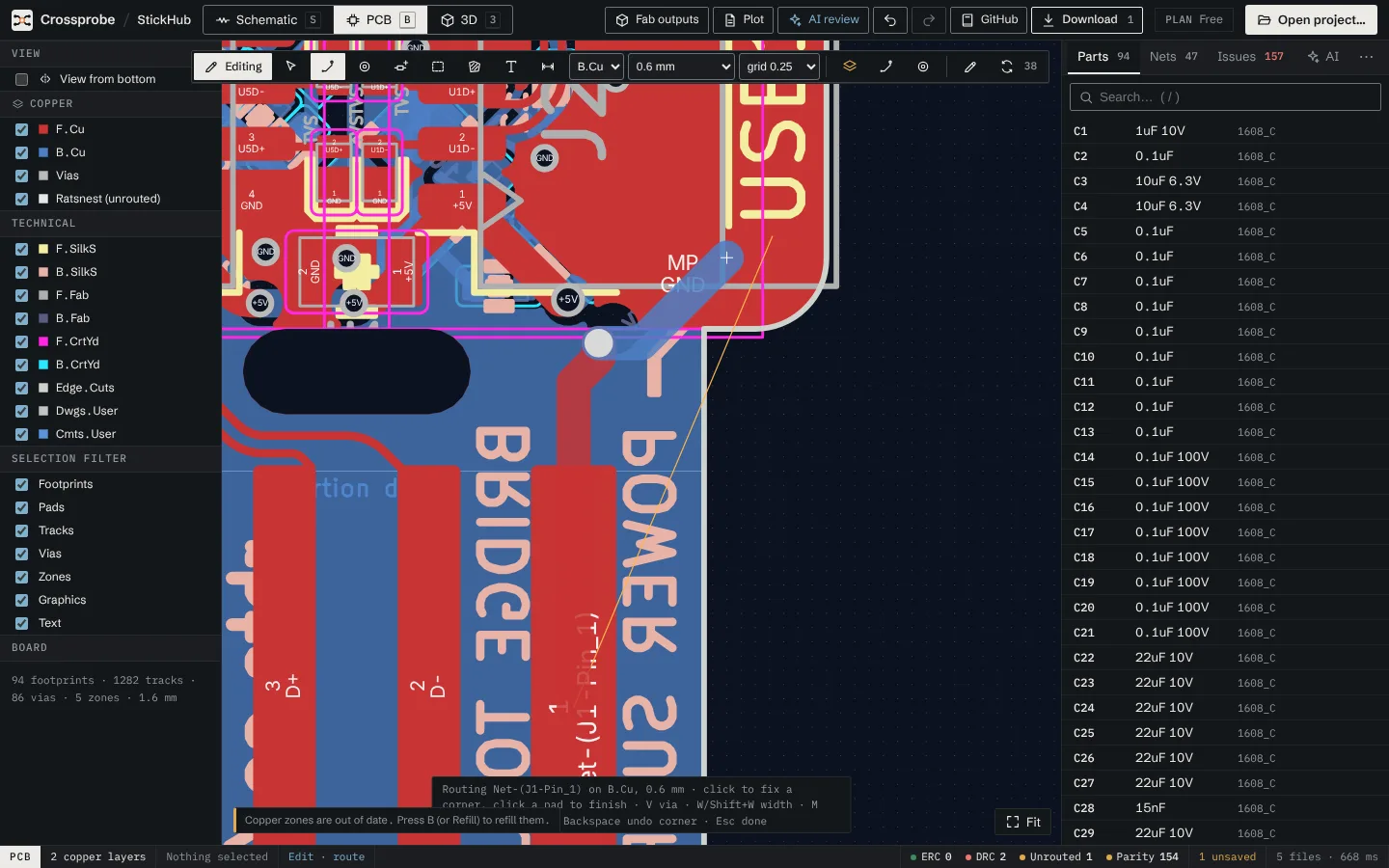
X starts a track from a pad, via or track and takes its net. Clearance is checked as you draw, and track width and via size come from the net class unless you choose otherwise.
Route a track
- In edit mode on the PCB view, choose Route (X).
- Pick the layer in the toolbar's Routing layer menu.
- Click a pad, via or track to start.
- Click to fix each corner. The live segment follows KiCad's 45° posture; / swaps which way the corner goes.
- Click a pad of the same net to finish, or double-click or press Esc when done. Backspace undoes the last corner.
A route only ends on pads of its own net. The hint line shows the net, layer and width while you draw. The ratsnest updates after every edit.
Vias and layer changes
While routing, V drops a via and switches layer. PgUp and PgDn also change layer through a via.
The Via tool (V) places a via on its own. It takes the net under it, or the pour's net, which makes it a stitching via. Select a via to change its diameter and drill in the properties panel.
Track width
The toolbar's Track width (mm) menu defaults to Net class width, the width set for the net's class in Board setup. Choose a fixed width there, or press W and ⇧W while routing for a wider or narrower track. To change a finished track, select it and set its width in the properties panel.
Router modes
M cycles the router mode while routing. The hint line shows the current one.
- Walkaround (the default): the route finds a way around other nets' copper.
- Shove: the route may cross other nets' tracks and pushes them aside, up to three tracks deep. Pads, vias, arcs and text stay where they are, as does a track whose bends carry a via, a pad or a branch. The pushed tracks are previewed live. Finishing the route commits them with it as one undoable edit. If nothing can be moved, the hint says why.
- Straight: the 45° posture only.
Zones are not obstacles in any mode. They are refilled around the new copper afterwards.
KiCad difference: shove works along a grid, so tracks at exactly the minimum spacing count as crowded.
Live clearance checks
The clearance DRC runs while you draw and after every edit. It uses the project's net classes and patterns, the board minimum, pad and footprint overrides and the gap of a differential pair. While routing, the hint line counts clearance conflicts. After an edit, findings appear as markers on the board and under Clearance (DRC) in the Issues tab.
Differential pairs
Nets whose names differ only in a final +/- or P/N form a pair.
- Press 6 and click a pad of one net. The partner's pad beside it is found for you.
- The pair leaves straight out from between the two pads, then follows your corners as two coupled tracks.
- V places a via pair side by side.
- Click a pad of the pair to finish.
Width and gap come from the net class's Pair width and Pair gap. Pairs walk around obstacles but don't shove. On dense boards the straight exit can land on a neighbouring part; place your own corners there, and Backspace undoes them.
If P and N are swapped between the two ends, for example on a mirrored part on the back, the tracks would have to cross and the finish is refused. KiCad's router doesn't swap them either: place the parts so the pair arrives in order.
Length tuning
Select a track. The properties panel shows the net's length, measured as KiCad measures it. Enter a length in Tune to, and meanders are added on the selected track first, then on the net's longest straight tracks. If there is no room beside the straight tracks, the panel says how far it got.
For a differential pair the panel shows the Pair skew to the partner. Match pair lengthens the shorter net to the longer one's length.
KiCad difference: meanders are square and single-sided. A pair's skew is matched with low bumps on the shorter leg, not with KiCad's coupled skew serpentines.
Autoroute
- Route next to an entry under Unrouted connections in the Issues tab routes that one connection, on one layer around other nets' copper where it can, else through vias. Check the result.
- Route all in the toolbar routes every unrouted connection as one undoable edit. Nets with a copper pour are left to the pour. Fine-pitch ground pins get vias into the pour first, and pads the pours don't reach afterwards are stitched to a pour on another layer. Tracks of other nets stay off inner-layer planes. Undo it if you don't like the result.
Teardrops
Teardrops adds tapered copper where tracks meet pads and vias. A teardrop that would come within clearance of other copper or the board edge is left out. Run it again after re-routing to update them; No teardrops removes them all.
KiCad difference: teardrops are straight-edged. KiCad also offers curved ones.