Requirements
Write down what the board must do, and Crossprobe checks it against the design by rules, not by the model. The AI review and the MCP server read the same results through check_requirements.
Beta: Requirements are checked against the design today. Power-budget currents are the numbers you enter, not read from datasheets, and checks backed by pinned datasheet ratings (supply range against operating conditions) are not available yet.
Results
Each requirement gets one of three results, with the numbers the rule used:
- pass: the design meets it.
- fail: the design does not. The AI review reports these failures.
- unknown: the rule could not decide, for example because there is no board file.
Nothing falls back to a guess.
Add requirements in the app
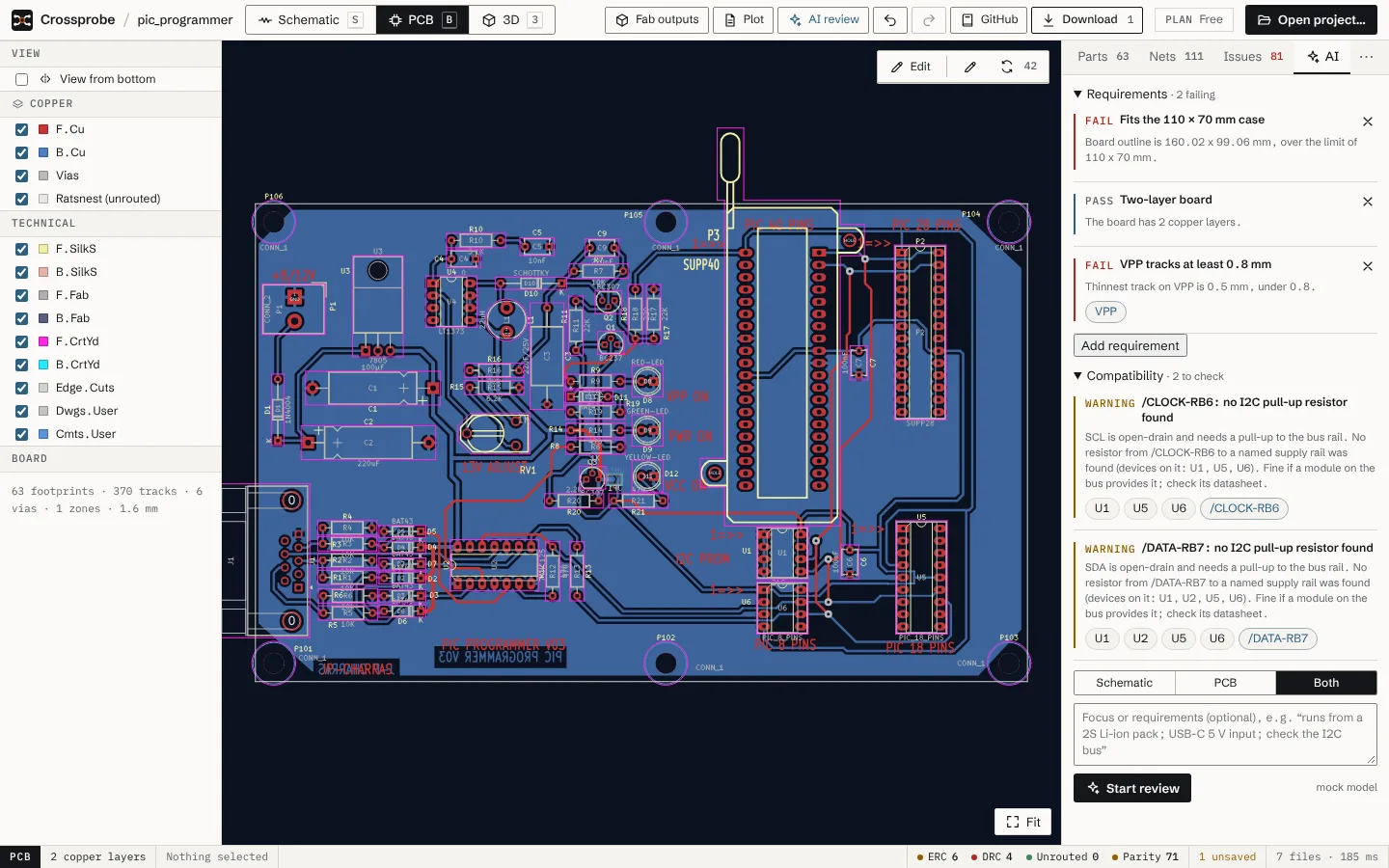
The AI tab in the inspector has a Requirements section above the review form. Its heading shows how many are failing, or "all met".
- Open the AI tab and expand Requirements.
- Choose Add requirement.
- Pick the kind, give it a title if you like (Title (optional)), and fill in its fields.
- Choose Add. The result appears at once and updates as the design changes.
Each result links to the parts and nets it names; choose one to select it in the views. To delete a requirement, use the Remove requirement button on it.
What you can write
| Kind | Name in the editor | Fields |
|---|---|---|
board_size |
Board size | Max width (mm), Max height (mm) |
board_layers |
Copper layers | Exactly, At most |
net_present |
Net exists | Net, Min pins |
connector_nets |
Connector nets | Reference, Nets (comma separated) |
part_count |
Part count | Matches (value, library or description), At least, At most |
power_budget |
Power budget | Rail net, Supply (mA), Loads as max mA per part (U1:300, U2:50) |
min_track_width |
Min track width | Net, Min width (mm) |
The requirements file
Requirements are stored next to the KiCad project in <project>.crossprobe-requirements.json. The KiCad files stay untouched. You can also write it by hand:
{ "version": 1, "requirements": [
  { "id": "size",  "title": "Fits the enclosure", "kind": "board_size", "maxWidthMm": 50, "maxHeightMm": 40 },
  { "id": "usb",   "title": "USB data on J1", "kind": "connector_nets", "reference": "J1", "nets": ["USB_D+", "USB_D-"] },
  { "id": "5v",    "title": "5 V budget", "kind": "power_budget", "net": "+5V", "supplyMa": 500,
    "loads": [{ "reference": "U1", "maxMa": 300 }] }
] }
Malformed entries and duplicate ids are dropped when the file is read.
In the AI review and the MCP server
The AI design review gets a check_requirements tool that returns these results, and the failures are what it reports. The MCP server offers the same tool, so the assistant you use can check requirements on a project on your computer. See the tools reference.