Open a KiCad project
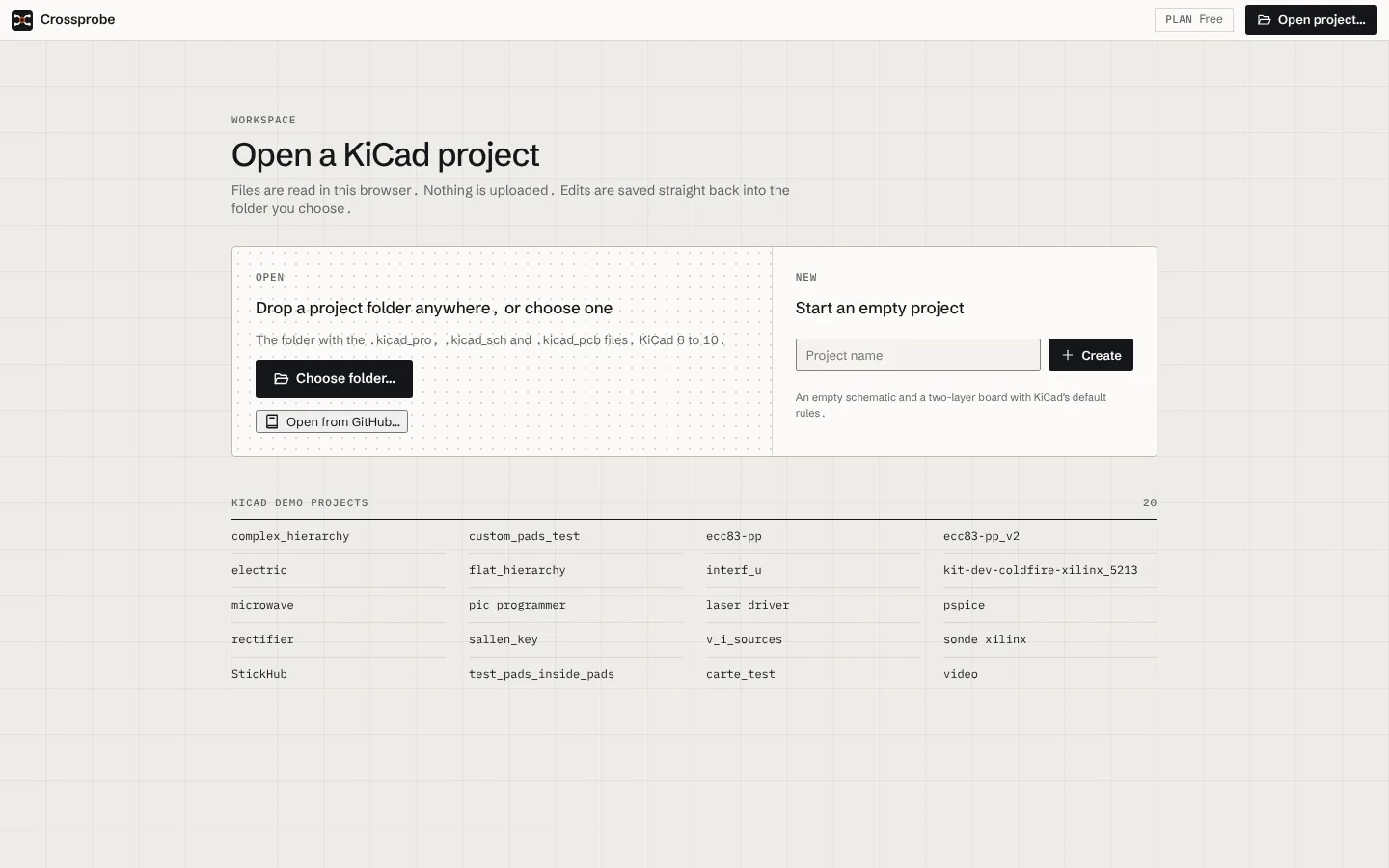
Crossprobe reads your KiCad project in the browser. Choose or drop the folder that holds the .kicad_pro, and the schematic, board and 3D views open from the files on your disk.
What you need
- A KiCad project from KiCad 6 to 10: the
.kicad_pro, its.kicad_schsheets and the.kicad_pcb. Custom design rules (.kicad_dru) and project symbol libraries in the folder are read too. - A current desktop browser. Projects are parsed in a web worker, so large boards stay responsive.
Nothing is uploaded. The files are read in your browser, and only the parts of the design the AI asks about leave it, and only when you run a review.
Open your project
- Go to the app.
- Choose Open project and pick the folder that holds your
.kicad_pro, or drop the folder onto the start screen. - Crossprobe parses the project and opens the schematic.
S,Band3switch between the schematic, the board and 3D.
To try Crossprobe without a project of your own, open one of the KiCad demos listed on the start screen.
Start a new project
The start screen can also create a new, empty KiCad project. It is a plain KiCad project: you can open it in KiCad at any time.
Store it in your account
A project you open stays in your browser. To open it on another device, or to let an AI assistant work on it through the hosted MCP server, store it: sign in, open the project menu next to Save, and choose Store in your account.
- From then on, saving also saves a revision to your account. The last 50 are kept, and you can open any of them.
- Open from your account in the same menu lists your stored projects.
- If something else saved a newer revision (you on another device, or an assistant), the app tells you when its tab gets focus and offers to load it.
- An account without a plan stores 3 projects. See Plans and usage.
An assistant can also start from nothing: it builds a board from your requirements and stores it in your account for you to open.
Your files stay KiCad files
Crossprobe writes the same files KiCad does. Files you don't change are written back byte for byte, and edits produce minimal diffs, so the project stays reviewable in git. ⌘S saves the changed files, and changes you haven't saved survive a page reload.
Next: run your first AI design review, or learn the keyboard shortcuts.